100% Free Image Editor by AIAnimeGenerator
Free trial for higher quality image generation
Get a faster, higher-quality, ad-free experience of generating images through our professional website
Recommended Stable and Cost-Effective Image APIs
Move from free image experiments to reliable production with five FLAQ AI image APIs. Compare stable, affordable models for generation, editing, high-volume workloads, and product-ready creative workflows.
GPT Image 2 API
Strong prompt adherence, readable text in images, flexible quality controls, and reliable generation or editing for production workflows.
View APINano Banana Pro API
Gemini-powered semantic understanding, high-fidelity output, and flexible text-to-image or image editing for demanding applications.
View APISeedream 5.0 Pro API
Professional text-to-image generation with complex scene composition, flexible aspect ratios, and polished commercial visual styles.
View APIQwen Image 2.0 API
A cost-effective Alibaba image model with multilingual prompt understanding, flexible resolution control, and scalable generation workflows.
View APIZ Image API
Affordable managed text-to-image generation for product visuals, marketing assets, social content, and high-volume creative automation.
View APIFree Image Editor Examples You Can Try Online
See how AIAnimeGenerator turns uploaded photos into polished edits, fresh design directions, social media visuals, product scenes, and creative image variations.
AI Photo Editing
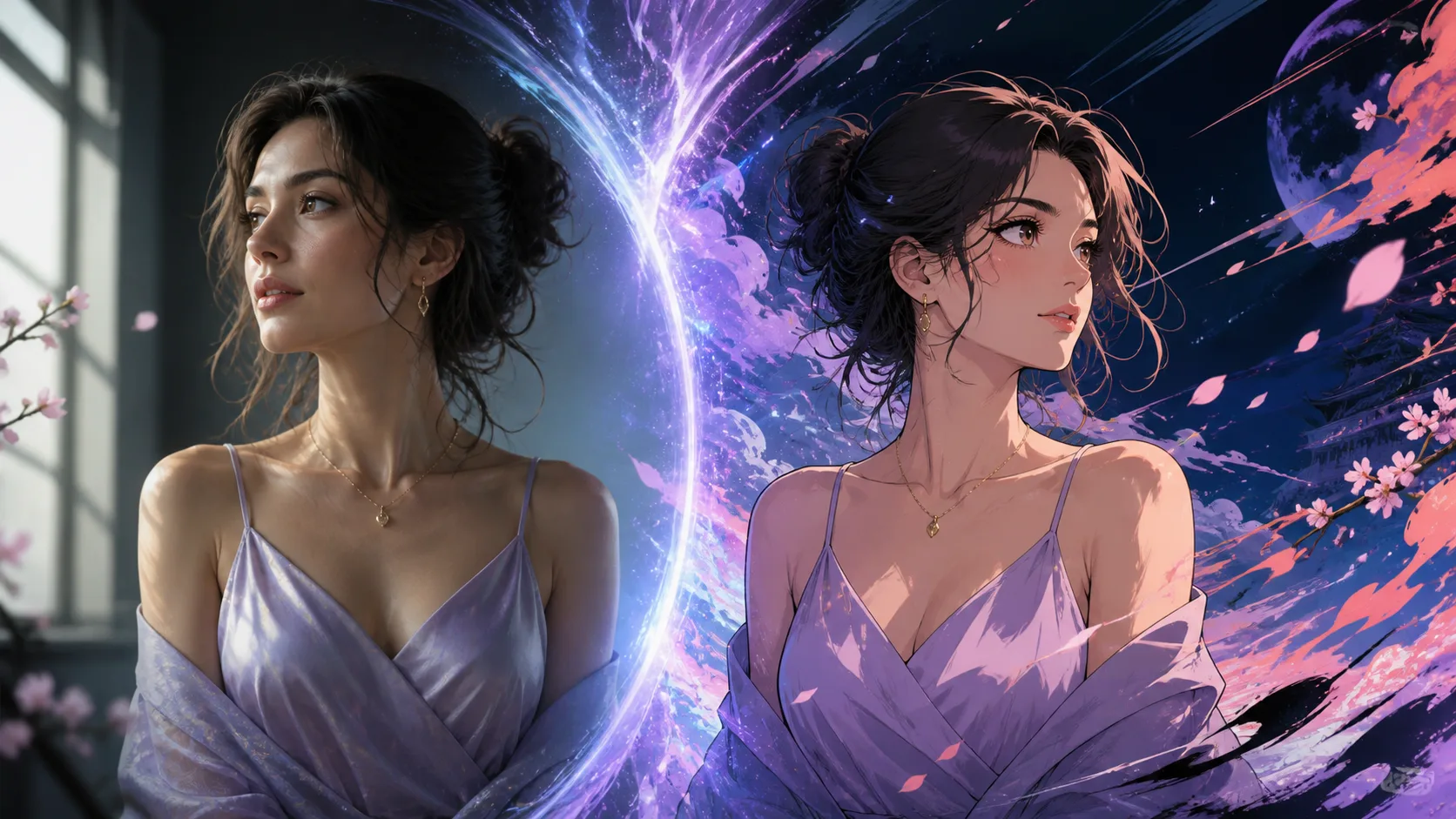
Transform this portrait into refined cinematic anime art. Preserve the same person, face shape, hairstyle, lavender dress, jewelry, pose, expression, and framing. Add luminous violet rim light, hand-painted linework, and an abstract fantasy background. No text or watermark.
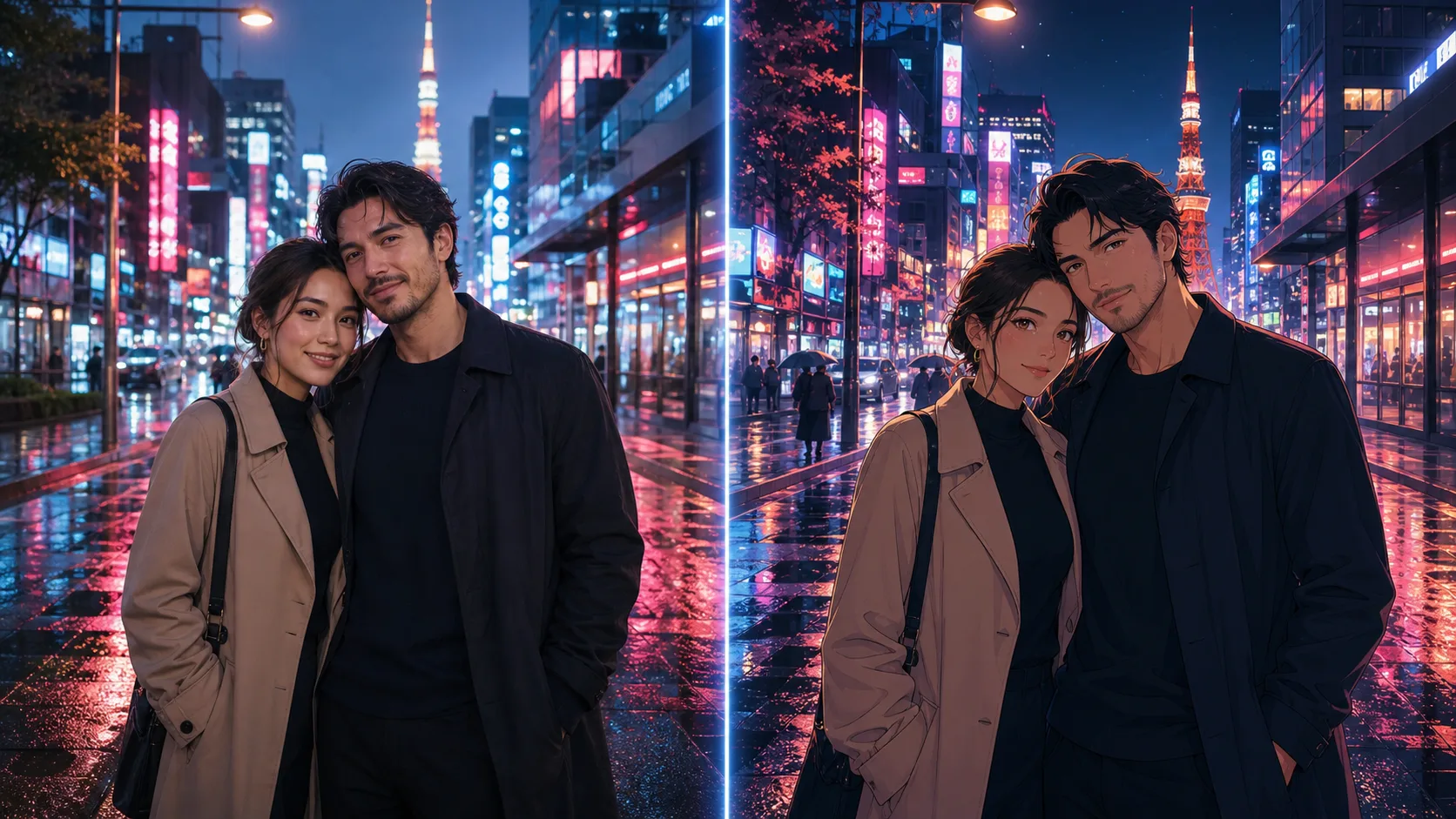
Convert this couple photo into a mature romantic anime scene in rainy Tokyo. Preserve both identities, hairstyles, coats, pose, and framing. Add neon reflections, cinematic night lighting, detailed cel shading, and a subtle film-grain finish.
Style & Brand Transformation
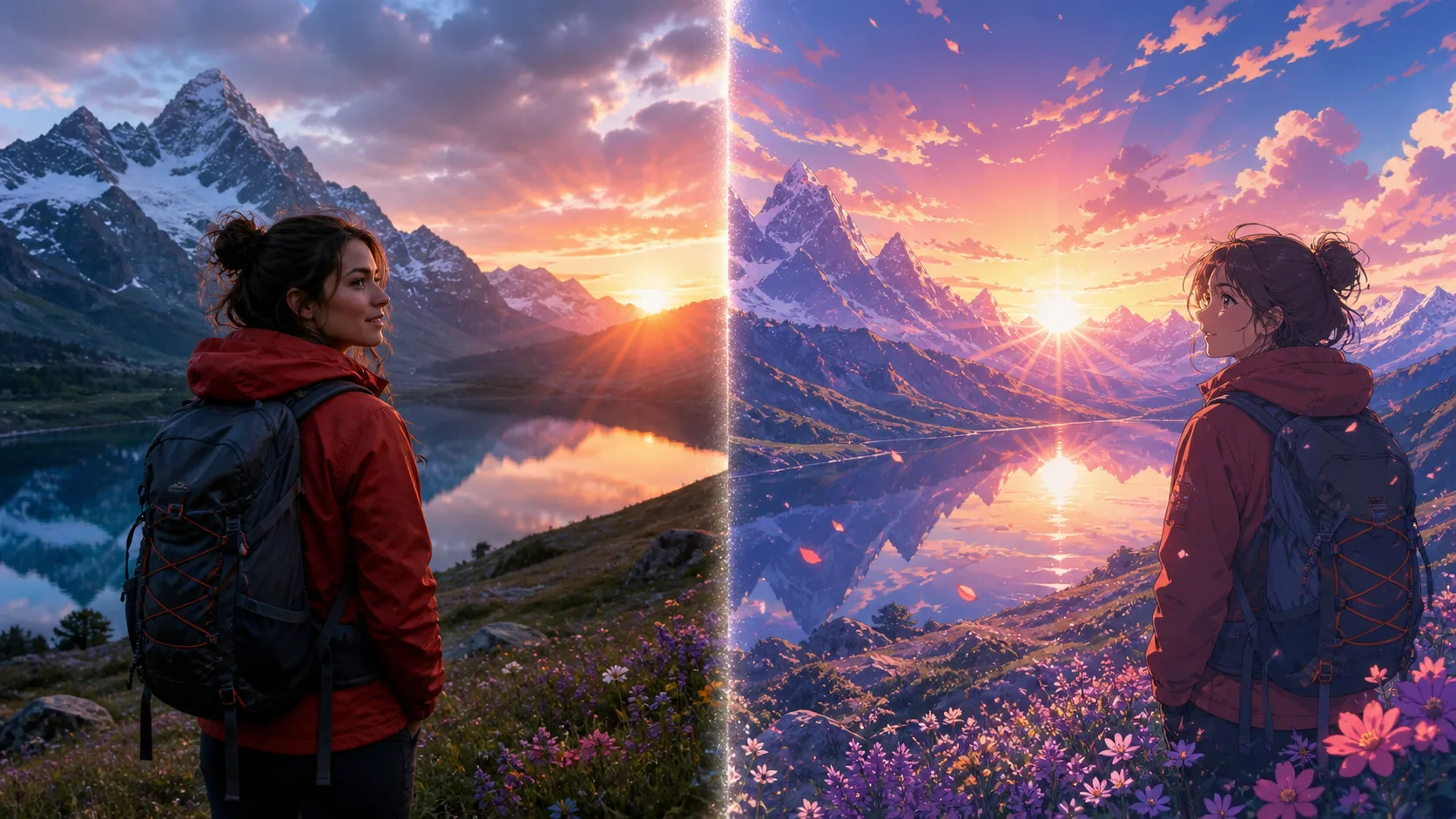
Transform this mountain travel photo into cinematic anime key art. Keep the same hiker, red jacket, backpack, lake, flowers, mountain silhouette, and sunset composition. Add painted clouds, luminous reflections, and adventurous animated-film atmosphere.

Create a sophisticated anime avatar from this professional portrait. Preserve the same face, glasses, beard, hairstyle, dark jacket, posture, and confident expression. Use clean graphic linework, coral and violet studio lighting, and a minimal background.
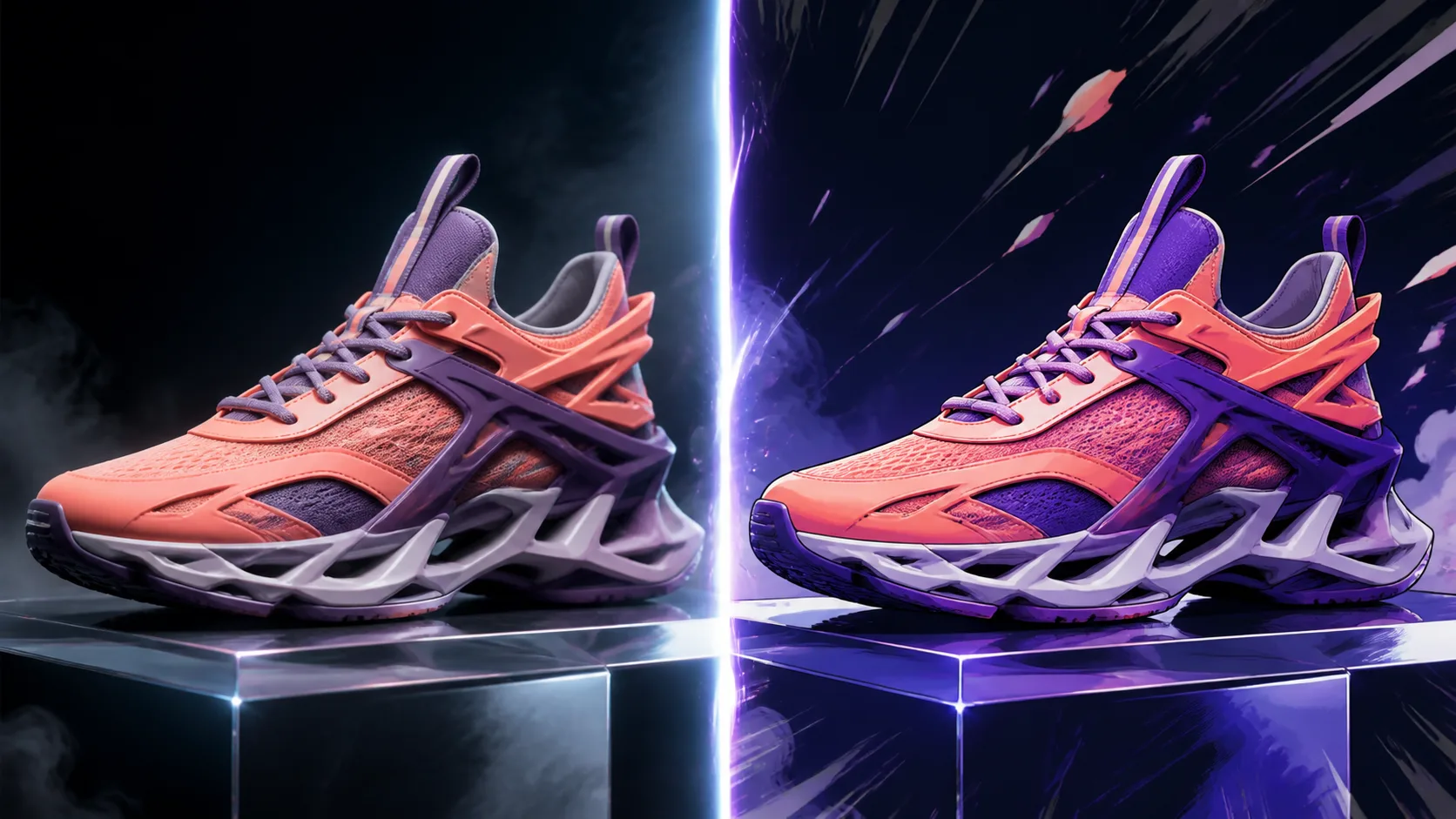
Restyle this coral sneaker as premium anime product key art. Keep the silhouette, laces, layered sole, color blocking, materials, and three-quarter product angle accurate. Add electric violet energy, dramatic rim light, and a clean dark campaign background.
High-Quality Creative Edits
Transform this portrait into refined cinematic anime art. Preserve the same person, face shape, hairstyle, lavender dress, jewelry, pose, expression, and framing. Add luminous violet rim light, hand-painted linework, and an abstract fantasy background. No text or watermark.
Convert this couple photo into a mature romantic anime scene in rainy Tokyo. Preserve both identities, hairstyles, coats, pose, and framing. Add neon reflections, cinematic night lighting, detailed cel shading, and a subtle film-grain finish.
Free Image Editor Features for Fast Online Editing
The AIAnimeGenerator free image editor combines image upload, prompt-based editing, AI restyling, and quick regeneration so you can turn any photo into a better visual.
Upload Any Image to Edit
Start by uploading a photo, product shot, portrait, design draft, or reference image. The AI reads the image and uses it as the base for your edit.
Edit with Simple Prompts
Describe what you want to change: improve lighting, replace the background, restyle the image, create a poster look, or generate a new creative direction.
Free, Fast, and Browser-Based
Edit images online without installing software. The workflow is free to try, quick to use, and built for rapid creative iteration.
Polished Results for Real Projects
Create social media graphics, ecommerce visuals, design concepts, profile images, marketing assets, and artwork from your uploaded image.
Free Image Editor Use Cases for Creators and Teams
Use the free image editor for everyday creative work: improve photos, build product scenes, explore visual styles, refresh content, and create new assets from existing images.
Photo Enhancement
Improve lighting, mood, detail, background, and overall presentation while keeping the main subject recognizable.
Product & Ecommerce Images
Turn simple product photos into cleaner product scenes, promotional visuals, listing images, and campaign-ready creative.
Social Media Content
Create thumbnails, covers, posts, story visuals, and scroll-stopping creative from a single uploaded image.
Design Exploration
Generate alternate styles, layouts, posters, brand moods, and art directions before committing to a final design.
How to Use the Free Image Editor in 3 Steps
Upload your image, describe the edit you want, and let AIAnimeGenerator generate a polished result you can download or keep refining.
Upload Your Image
Choose the photo, product image, design draft, or reference you want to edit online.
Describe the Edit
Write a simple prompt such as change the background, improve lighting, make it cinematic, or turn it into a product ad.
Generate and Download
Click generate, preview the edited result, then download it or create another variation.
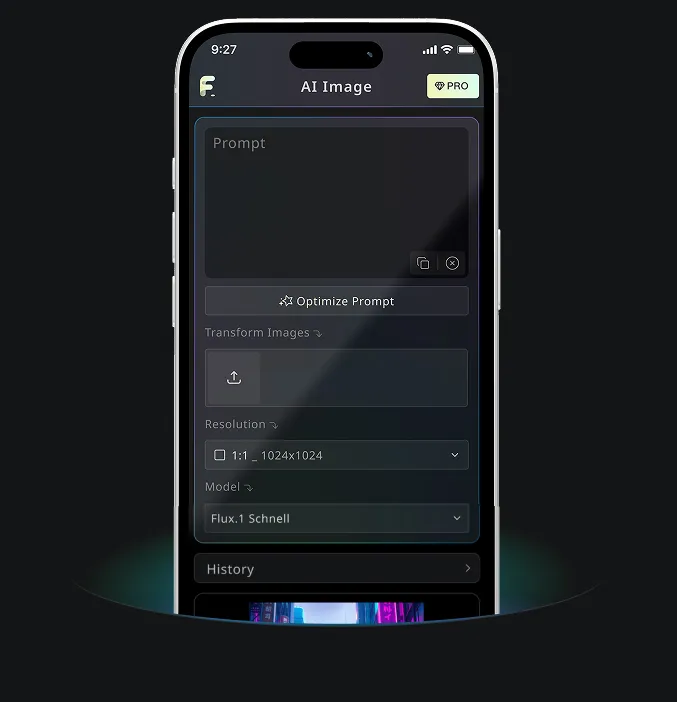
AIAnimeGenerator App for GPT Image 2 and AI Image Creation
Use AIAnimeGenerator to create AI images with GPT Image 2 online for free, then continue your visual workflow with AIAnimeGenerator tools on desktop or mobile.
Free Image Editor FAQ
More Free Image Editor Tips from AIAnimeGenerator
Continue with practical AI anime prompts, avatar ideas, and transformation workflows.